Hey everyone 
I recently spent the weekend testing different tools to fix some blurry footage from an old travel vlog — and honestly, I was surprised by how big the quality gap is between AI-based enhancers and traditional editors.
Most “free blur removers” online sound great until you try them: either the upload limits are painful, or the results barely look any sharper. But then I tried HitPaw VikPea, and it actually blew me away.
VikPea uses AI models that automatically detect and fix motion blur, focus blur, or low-resolution softness — and the results looked genuinely clean, not over-sharpened like some others I’ve used.
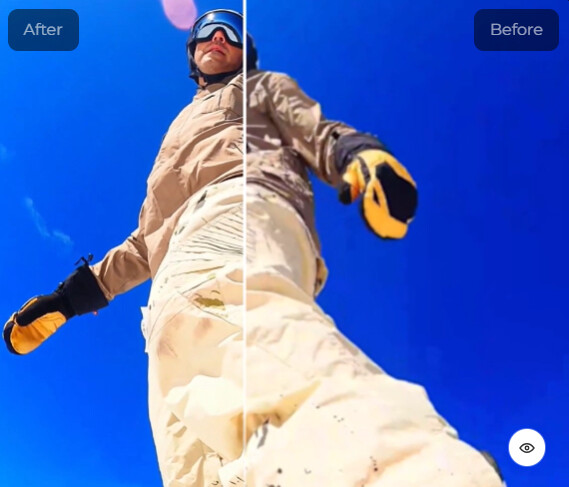
Here’s what I liked most:
-
The Sharpen Model brings out edge detail beautifully without creating noise.
-
The Portrait Model fixes faces perfectly (skin looks natural, not plastic).
-
Preview Mode lets you instantly compare before-and-after, which feels super satisfying.
-
And yes — it’s fast. GPU acceleration really makes a difference.
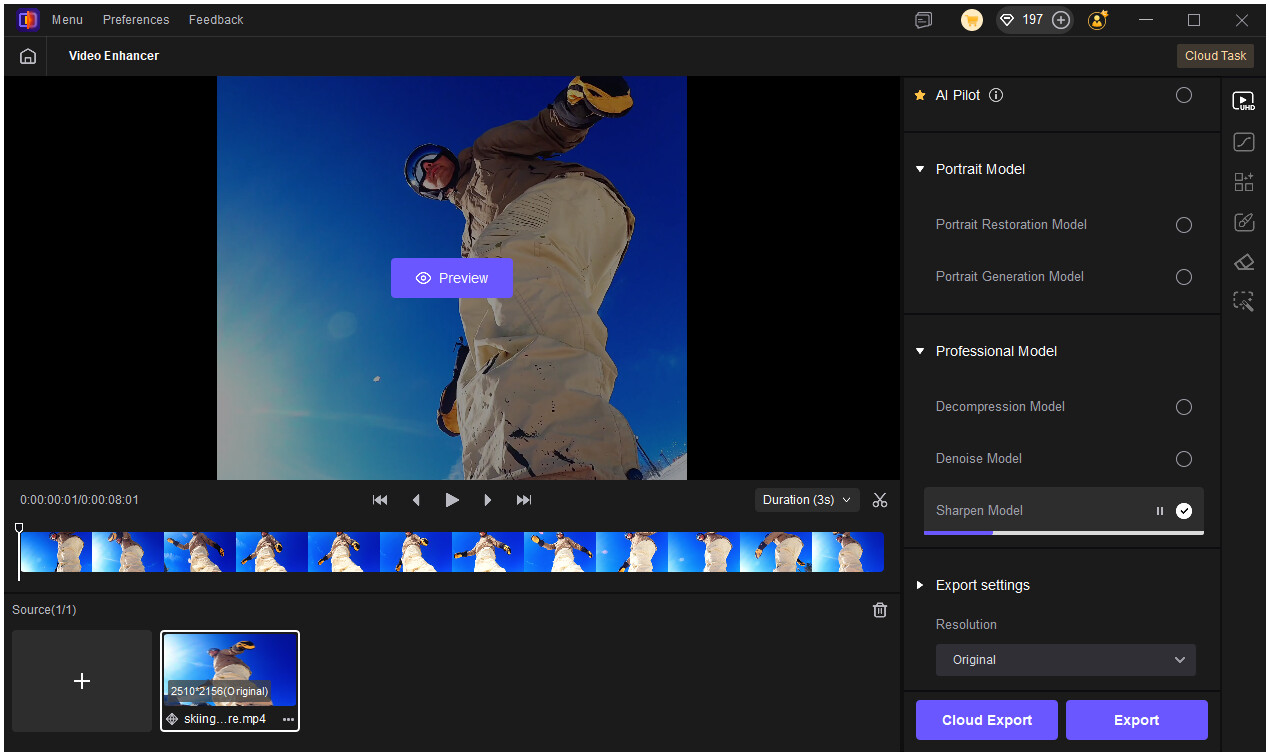
I tried a few other tools like Adobe Premiere Pro, Remini, and CapCut just to compare, but those either required manual tweaking or didn’t handle motion blur as well. The convenience of VikPea’s AI models made it feel like a “set it and forget it” solution.
For anyone who edits videos regularly — whether you’re restoring old memories, cleaning up travel clips, or working on client footage — I’d honestly say HitPaw VikPea is worth the download. The results looked professional with almost no setup.
 Your turn!
-
Have you tried any AI video enhancers to fix blur? Did they actually work for you?
-
If you’ve used HitPaw VikPea, which AI model gave you the best results — Sharpen, Portrait, or Video Quality Repair?
Drop your experience below  — I’d love to see your before-and-after stories or any other blur-fix tricks you’ve discovered!