So… I just got back from Shakira’s Las Mujeres Ya No Lloran Tour and OMG  —the lights, the hair flips, the hips that still don’t lie. As a die-hard fan and a hobby concert photographer, I had to bring my camera A-game

Shooting live shows isn’t easy—it’s dark, chaotic, and LOUD—but here’s how I manage to grab crisp, vibrant shots mid-mayhem 

 My Go-To Settings for Concert Chaos:
-
ISO: Auto or 1600–6400. Gotta catch those low-light vibes without looking like a potato


-
Shutter Speed: 1/200–1/500 sec. Shakira moves FAST. I’m not risking motion blur on those dance breaks
-
Aperture: f/1.4–f/2.8. Wide open for all that glow and mood

-
Autofocus: Continuous AF, always locked on the artist’s face—especially when the spotlight hits

-
Mode: Manual or Aperture Priority. Control + speed = happy me

 Common Concert Fails (and My Fixes):
 Problem Problem |
 My Fix My Fix |
|---|---|
| Noisy, grainy photos | Lower ISO when possible + noise reduction later  |
| Crazy lens flare | Change my angle or throw on a lens hood  |
| Motion blur galore | Boost shutter speed or go full burst mode |
| Out-of-focus diva shots | Continuous AF and focus on her face, always  |
Shakira-Specific Shooting Moments
At her recent show, she broke into “Men In This Town”—first time in 15 years  The crowd exploded and I had 3 seconds to lock focus, adjust exposure, and hope my burst mode caught the magic. And yes… it did

 How I Make My Shots Shine After the Show
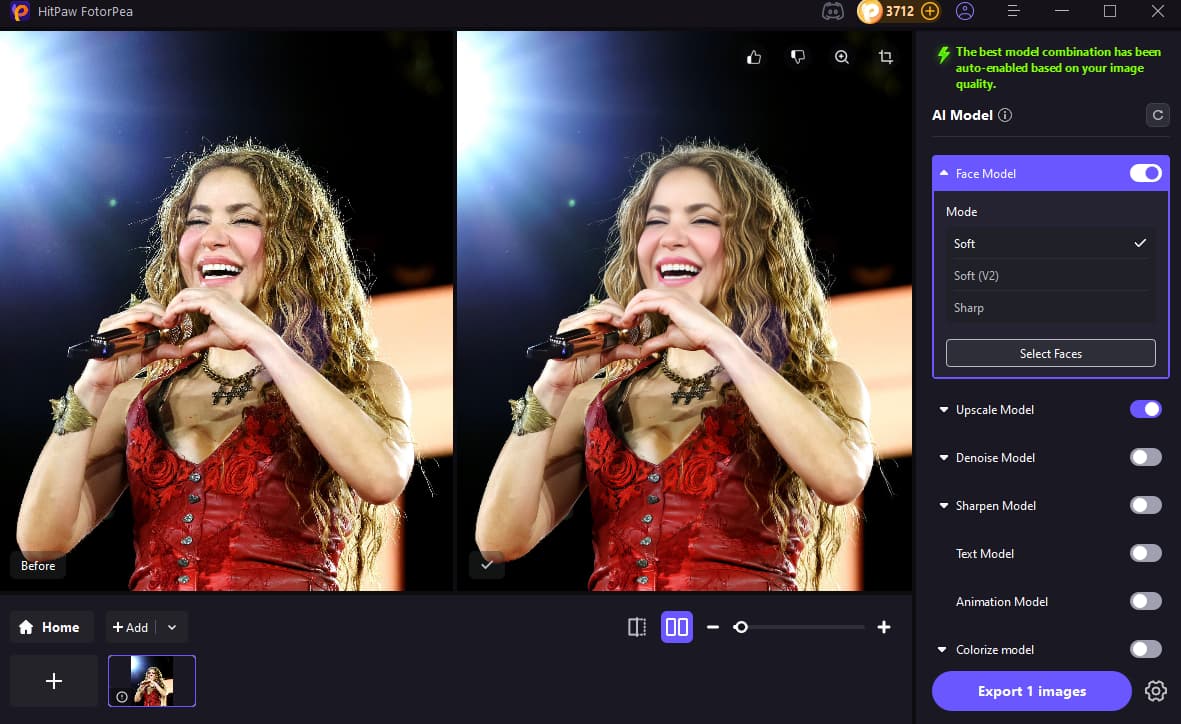
Let’s be real: no matter how good your settings are, concert shots always need some TLC. That’s where HitPaw FotorPea comes in 
With it, I can:
-
 Sharpen facial details and bring back the sparkle in stage lights
 -
Enhance colors without making it look fake
-
 Reduce noise but still keep texture
 -
Fix any blur from the jumping, dancing, or general chaos
Seriously, it’s like an encore for your photos 
 Your Turn!
Been to any epic concerts lately? Got tips for dodging strobe-light disasters or fans waving phones in your frame? Let’s talk concert photo wins (or fails—we’ve all got ‘em  ) down below