We’ve all been there—recording a great moment, only to find the video turned out shaky. Whether it’s from a handheld camera, a quick vlog, or even a fast-paced scene, unstable footage can take away from the story you’re trying to tell. That’s why video stabilization is such a big deal.
Now, here’s where things get exciting: AI is changing how stabilization works. Instead of relying on heavy gear like tripods or gimbals, AI tools can automatically detect unwanted motion, smooth it out, and deliver stable, professional-quality results with just a few clicks.
 Imagine shooting on the go and still ending up with steady footage that looks like it was filmed with pro equipment. That’s what AI-driven video stabilization is bringing to creators, marketers, and even casual users.
One tool that’s been getting a lot of buzz is HitPaw VikPea (formerly HitPaw Video Enhancer). It doesn’t just stabilize videos—it can also:
-
Repair damaged or blurry footage
-
Upscale videos all the way to 8K
-
Use multiple AI models (like face enhancement, detail recovery, and stabilization)
-
Preview results before exporting—with no watermarks holding you back
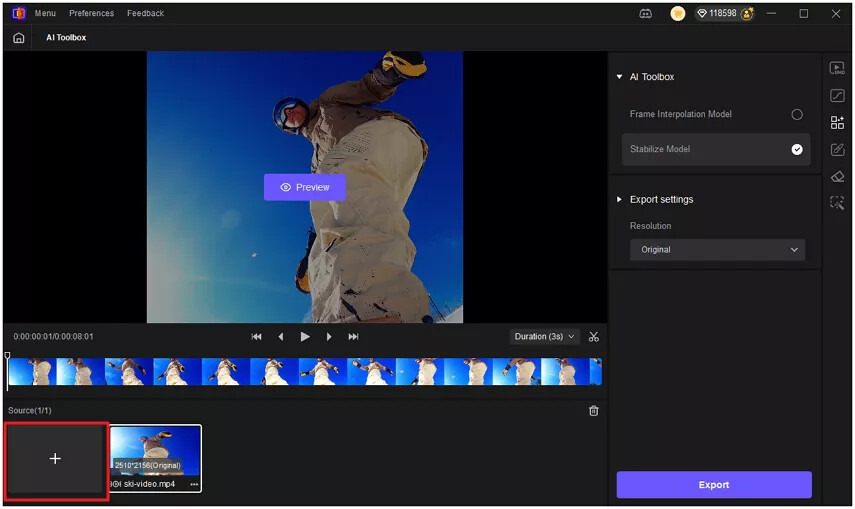
Personally, I find the Stabilize Model super useful because it handles shaky clips without cutting corners on quality. It feels like having a professional editor running in the background.
 Now I’d love to hear from you:
-
Have you ever had a great clip ruined by shakiness?
-
Do you usually try fixing it with manual tools (like iMovie or Premiere), or have you tested AI stabilizers yet?
-
For those who’ve tried HitPaw VikPea—what’s your favorite feature so far?
Let’s swap tips! Maybe we’ll all pick up some new tricks to make our videos smoother and sharper.
If you haven’t tested it yet, you can give HitPaw VikPea a try and see how AI handles stabilization compared to your usual workflow.